Zero Redundancy: Backing Up a Striped Array I Chose On Purpose
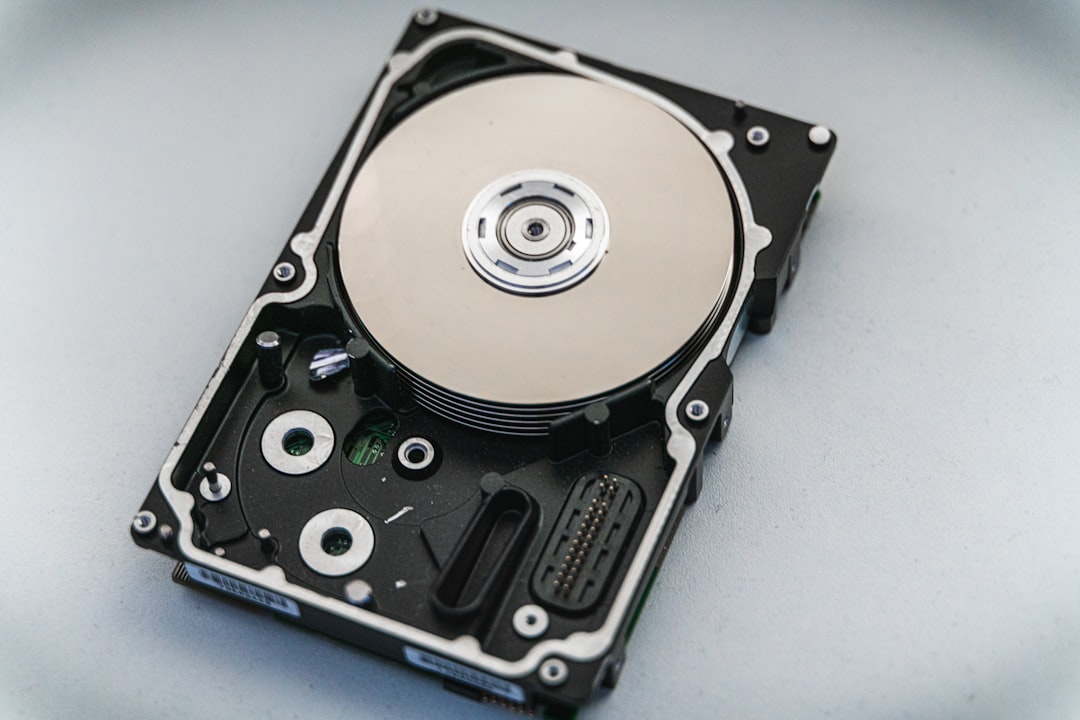
Summary: The main server in this lab stores everything on a striped array with zero redundancy. If either drive fails, all of it is gone at once - no rebuild, no degraded mode, nothing to recover from.
That's a deliberate choice, and this post is about the thing that makes it defensible: three tiers of backup, and the audit that revealed the most important data in the lab wasn't in any of them.
Zero Redundancy
Why stripe at all
Two large drives, striped together. Everything written gets split across both, which roughly doubles throughput and gives me the full combined capacity - around 32 TB usable.
It also means any single drive failure destroys everything. Not "degraded until you replace it". Gone. A mirror would have given me redundancy at half the capacity; that's the trade, and I took the other side of it.
I want to defend that, because "RAID0 in a homelab" usually reads as a mistake.
The array holds derived data. Vector indexes rebuilt from source files. Parquet from public sources I can re-fetch. Model weights that are downloads. Logs. Media. For most of it, a drive failure costs me a weekend of rebuilding rather than anything irreplaceable - and in exchange I get speed that matters when re-indexing a corpus or shifting hundreds of gigabytes.
The failure mode of that reasoning is obvious in hindsight: most of it. There was a category I hadn't examined, and I'll get to it.
RAID is not backup anyway - even a mirror protects against a drive dying, not against me deleting something, or a bad script, or corruption faithfully mirrored to both disks. Since I need real backups regardless, the question becomes what redundancy buys me on top of backups. Answer: uptime during a failure. In a house, at my scale, that's worth less than capacity and speed.
So: stripe, and take backups seriously.
Three tiers, three different fears
Each tier answers a different question.
Tier 1 - hot, half-hourly, local. Snapshots to a USB drive attached to the same machine, using hardlinks so each snapshot only costs the files that changed. Forty-eight restore points covering a day, for almost no space. This is for "I deleted the wrong thing twenty minutes ago", which is by far my most common disaster and has nothing to do with hardware.
Tier 2 - warm, daily, another machine. Overnight the server reaches out to the other machines in the lab - the workstation, the GPU box - and pulls their working files onto its array, so the state that would otherwise be scattered across machines nobody backs up lands in one place that is itself backed up.
It pulls, and that direction is deliberate. If each machine pushed its own data in, a compromised or misbehaving source could reach into the archive and corrupt what was already there. A pull means the hub holds the credentials and the sources can't reach in - the same reasoning as a read-only mount, one layer up. I learned it the unglamorous way: a push job run on the wrong machine once filled a directory with 449-byte archives before anything noticed, and inverting to a pull ended that whole class of mistake.
Tier 3 - cold, weekly, off-site. Encrypted to cloud storage. This is for fire, theft, or flood - the low-probability, total-loss cases. Encrypted client-side, so the storage provider holds ciphertext.
Half-hourly, daily, weekly. Local, house, off-site. Each tier assumes the ones before it failed.
The audit, and what it found
Here is the part worth your time.
I'd had those tiers running for a while and felt good about them. Then I sat down and asked a different question - not "is the backup running?", which it was, but "if this array died right now, what would I actually be unable to get back?"
Working through it properly took an afternoon and the answer was alarming.
The retrieval index - 1.6 GB. Not covered. Rebuildable in principle, but it's the vector store and database that everything conversational depends on, and rebuilding takes hours of GPU time.
The health database - 432 KB. Not covered. Personal health history accumulated over a long time, and it exists nowhere else. Irreplaceable, and small enough that its absence from the backups was invisible.
Service credential files - a few kilobytes. Not covered. API tokens, service keys, the accumulated configuration that makes a dozen services actually work. Individually trivial, collectively an entire weekend of re-issuing and re-configuring.
Every one of these had been missed for the same reason: Tier 1 was pointed at the big obvious data directory, and these lived elsewhere. The backup was running perfectly. It was backing up the wrong things - or rather, not quite all of the right ones.
The 432 KB one is the one that keeps me honest. It was the single most irreplaceable thing on the machine and it was five hundred times smaller than the noise in the directories I was backing up. Size is a terrible proxy for value, and any backup scoped by "the big folder" will make exactly this mistake.
There was a second discovery in the same week: a config file got overwritten during an unrelated deploy, and I found there was no copy of the previous version anywhere. Not a disk failure. Just an ordinary mistake, of the kind Tier 1 exists for, in a directory Tier 1 wasn't watching.
So there's now a script specifically for the critical-but-small things, and the gap analysis is written into its header as a comment - what was unprotected, how big it was, and when it was found. That comment is the most valuable part of the file. It tells the next person, including me, what this exists to prevent.
Verifying, because a backup you haven't restored is a hope
Backups that have never been restored are a belief system.
So there's verification: checks that the backups exist, that they're recent, that they're the size they ought to be, and that the archives are readable rather than merely present. Results go to the same status channel as everything else, so a backup that silently stopped shows up as a red line rather than as nothing at all.
That last part connects to the thread running through this whole series. A backup job that fails loudly is fine - I'll fix it. A backup job that stops running and says nothing is indistinguishable from one that's working, right up until the morning you need it. Silence is the failure mode to design against.
If you're starting
Two things, and the second matters more.
Do the audit before you build the backup. Not "what's in my big folder" - sit down and ask what you couldn't reconstruct if this machine died right now. Then find where those things actually live. Mine were scattered across three places, none of them the obvious one, and the most precious was under half a megabyte.
A backup you've never restored isn't a backup. Restore something. Today, from the oldest copy you have, to a scratch directory. It takes ten minutes and it either confirms your system works or reveals that it hasn't for months.
And none of this needs a striped array or three tiers. One external drive and a scheduled rsync with hardlinked snapshots covers the common case beautifully, on any machine you have. The tiers came from asking which failures each one couldn't cover - and that question is free.
Next: how all these services actually get onto the machines, and the two platforms I deliberately kept.
The lab so far
This post is part of an ongoing series — the home-lab build written down as it happens, in order:
- Load-Bearing Docs: How a Homelab Learns to Stop Lying to Itself — Jun 30, 2026
- 1.7 Tokens Per Second: How the Lab Got Its GPUs — Jul 2, 2026
- Is Any of This Even Running? Building the Lab's Single Pane of Glass — Jul 4, 2026
- Zero Redundancy: Backing Up a Striped Array I Chose On Purpose (you are here) — Jul 6, 2026
- Two Platforms On Purpose: systemd, k3s, and Refusing to Migrate — Jul 8, 2026
- Body Language: Giving the Lab a Face on the Wall — Jul 10, 2026
- An Operator Console, Not a Dashboard — Jul 12, 2026
- From Wake Word to Soundbar: The Whole Voice Pipeline — Jul 14, 2026
- A Dropped Log Is Worse Than an Ugly One — Jul 16, 2026
- Where Does This Sentence Go? The Gateway Problem — Jul 18, 2026
- Mostly Arithmetic: Classifying Intent Without Training Anything — Jul 20, 2026
- Teaching the Lab to Know Me: Journals Into Structured Data — Jul 22, 2026
- The Index That Was Quietly Empty — Jul 24, 2026
- Two Stages and a Refusal: Routing Inside the Memory — Jul 26, 2026
- Looking Outward: A Small Data Lake for Public Sources — Jul 28, 2026
- The Coach That Doesn't Use a Model — Jul 30, 2026
- How Helen Came to Be: Four Voices and a State Machine — Aug 1, 2026
- A Refusal a Model Can't Be Talked Out Of — Aug 3, 2026
- Seven in the Morning: What Helen Says, and Why No Model Writes It — Aug 5, 2026
- Helen Gets a Command Surface — Aug 11, 2026
- Putting the Lab in a Chat Window: Agent Skills, Flows, and CI/CD for AnythingLLM — Aug 19, 2026
Before it was a series: earthquake data and local LLM reasoning, the Slack integration that followed, CLI vs Open WebUI on context, the AnythingLLM ADR, and the LLM-owned wiki pattern.