CLI vs Open WebUI: Why Context Actually Matters When Running Local LLMs
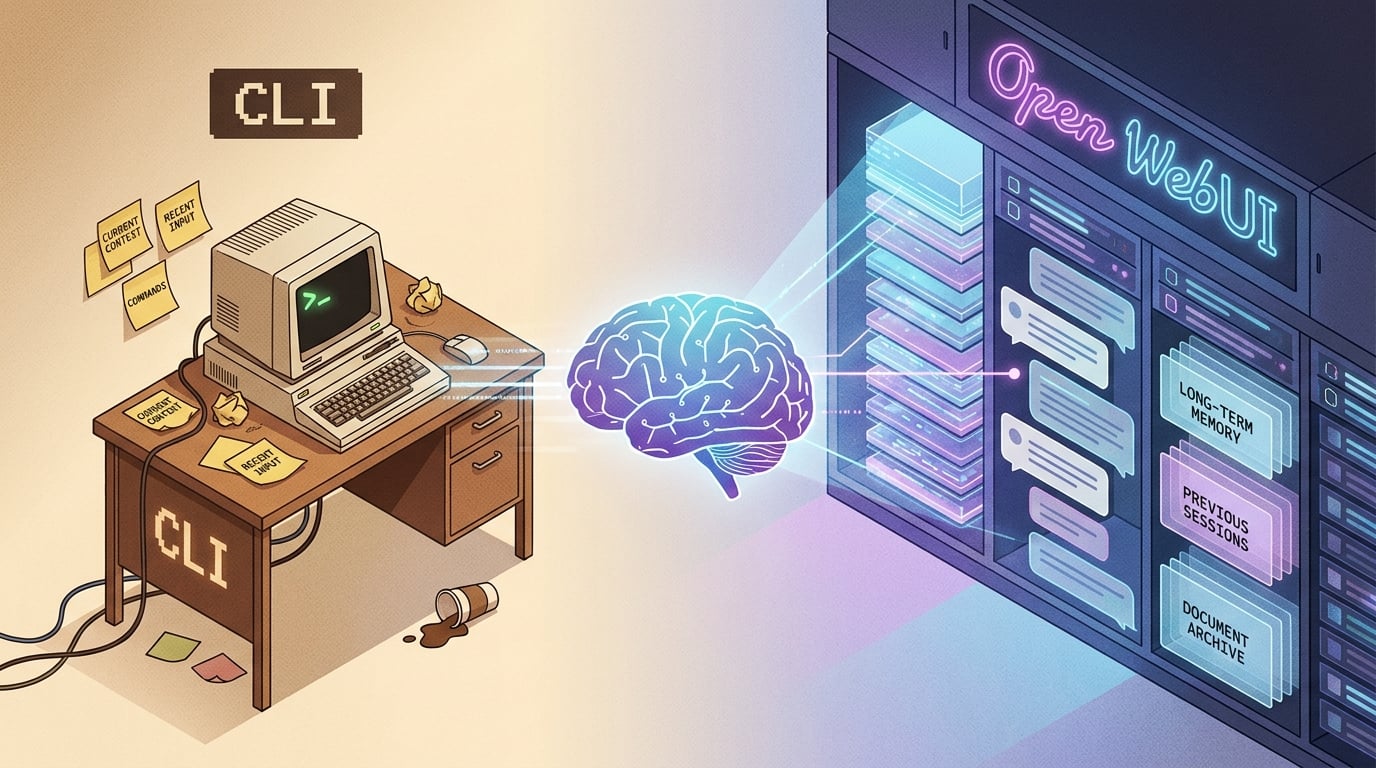
Summary: So I'm doing the AI path, like everyone else, and after spending months building out my home lab with dedicated hardware, Ollama and local LLMs, I kept noticing something: the same Qwen models felt noticeably better through Open WebUI than through the CLI. I initially dismissed it as UI polish, but after digging into the database and API calls, I found out why, and it has everything to do with how context is managed.
The Setup
My LLM lab runs on a 20 core Minisforum with GPU capability handling Ollama with both Qwen3:latest (8.2B) and Qwen2.5:14b models. I've been using these models daily for code assistance through Continue.dev in VS Code, chat conversations through Open WebUI, and quick queries via CLI.
The hardware specs:
- Services Node: Intel N100, 32GB DDR5, dual NVMe (1TB + 512GB)
- Ollama: Running as systemd service on port 11434
- Open WebUI: Docker container v0.8.10 on port 3000
Both the CLI and Open WebUI hit the same Ollama instance, same models, same quantization (Q4_K_M), same host. However, the experience felt different.
Observation
When using ollama run qwen3:latest from the terminal, responses were fine for simple queries. But when I needed to reference earlier parts of a conversation or work through multi-turn reasoning, it felt like the model kept forgetting context.
Through Open WebUI, that same model handled complex, multi-turn conversations much better. It could reference things I said several exchanges back. It maintained coherence across longer discussions.
I initially chalked this up to better UI presentation, syntax highlighting, markdown rendering, streaming tokens appearing smoothly. But it kept nagging at me. The model felt smarter through the web interface.
What I Found in the Database
Open WebUI stores conversations in SQLite. I decided to look at what it was actually maintaining.
docker exec open-webui python3 -c " import sqlite3 conn = sqlite3.connect('/app/backend/data/webui.db') cursor = conn.cursor() # Get the most recent chat cursor.execute('SELECT id, title FROM chat ORDER BY updated_at DESC LIMIT 1') chat_id, title = cursor.fetchone() # Analyze message counts and sizes cursor.execute(''' SELECT role, LENGTH(content) as content_length FROM chat_message WHERE chat_id = ? ORDER BY created_at ASC ''', (chat_id,)) messages = cursor.fetchall() total_chars = sum(m[1] for m in messages) print(f'Total messages: {len(messages)}') print(f'Total context: {total_chars:,} chars (~{total_chars//4:,} tokens)') conn.close() " The output from a real conversation:
Chat: "Document Review" Total messages: 15 Total context: 72,077 chars (~18,019 tokens) User input: 5,641 chars (~1,410 tokens) Assistant: 66,436 chars (~16,609 tokens) Fifteen messages. Eighteen thousand tokens of context being maintained and sent with every new prompt.
The Difference in Behavior
CLI Experience:
- Sends only the current prompt and a small context buffer
- Typically maintains ~500-1000 tokens of recent history
- Loses earlier conversation context after a few exchanges
Open WebUI Experience:
- Stores the entire conversation in structured format
- Sends all messages with each new request (up to model's context limit)
- Maintains full message history:
[{role: "user", content: "..."}, {role: "assistant", content: "..."}, ...] - Includes system prompts and metadata
The CLI treats each interaction as mostly independent. Open WebUI treats the entire conversation as cumulative context.
Why This Matters for Complex Conversations
For quick one-off queries, the CLI is perfect. Fast, simple, direct.
But when you're:
- Analyzing long documents or code
- Working through multi-step reasoning
- Referencing earlier parts of a discussion
- Building on previous answers
…then having the full conversation context makes it better.
The model isn't getting smarter. It's getting more information. Information it needs to maintain coherence across a real conversation.
The Trade-offs
CLI Advantages:
- Fast startup
- Lower memory usage per query
- Great for scripting and automation
- No overhead from web interface
Open WebUI Advantages:
- Full conversation context maintained
- Better for complex, multi-turn discussions
- Structured message formatting
- UI features (markdown, code highlighting, export)
- Persistent conversation history
To be clear, neither is "better," they're designed for different use cases.
The Continue.dev Integration
I also use Continue.dev as my AI coding assistant in VS Code. It connects directly to my local Ollama instance and works incredibly well for code completion, refactoring suggestions, and inline documentation.
Continue.dev sits somewhere between CLI and Open WebUI in terms of context management. It sends relevant code context (the file you're editing, nearby functions, imports) along with your prompt, but it's focused and purposeful rather than maintaining full conversation history.
For coding tasks, that's exactly what you want. You don't need the model to remember what you asked twenty prompts ago, you need it to understand the current function and how it fits into your codebase.
Here's my Continue.dev config pointing to my local models:
{ "models": [ { "title": "Qwen3 Local", "provider": "ollama", "model": "qwen3:latest", "apiBase": "http://{redacted}:11434" }, { "title": "Qwen2.5 14B", "provider": "ollama", "model": "qwen2.5:14b", "apiBase": "http://{redacted}:11434" } ], "tabAutocompleteModel": { "provider": "ollama", "model": "qwen3:latest", "apiBase": "http://{redacted}:11434" } } The result is a three-tiered local AI workflow:
- Continue.dev for focused code assistance
- Open WebUI for complex conversations and reasoning
- CLI for quick queries and scripting
The Pattern That Emerged
What I learned from comparing these tools is that effective AI integration isn't about throwing everything at the model. It's about sending the right context for the task.
- Code assistance needs file context and function signatures
- Complex reasoning needs full conversation history
- Quick queries need neither
The tool should match the task. More context isn't always better, but having it available when you need it makes all the difference.
Why Local Matters Here
Running this entire stack locally means I can actually see and measure these differences. I can inspect the database, watch API calls, monitor resource usage, and understand exactly what's being sent to the model.
That visibility matters. It makes the design decisions clearer:
- What should be computed in code?
- What should be stored?
- What should be sent to the model?
- What should stay human-reviewed?
That's where AI work becomes less theatrical and more practical. It's not about "the model" as a magic box, it's about how the model fits into a system of tools, data, and decisions.
Closing Thoughts
The difference between CLI and Open WebUI isn't about one being better. It's about understanding what each tool is designed to do and when that design matters.
For my home lab workflow, all three tools, Continue.dev, Open WebUI, and CLI, have their place. Each one manages context differently because each one is solving a different problem.
If you're running Ollama locally and only using the CLI, I'd recommend trying Open WebUI for conversations where context depth actually matters. You'll probably notice the difference.
And if you're a developer working with local LLMs, Continue.dev is worth adding to your toolkit. It brings the focused, code-aware context you need directly into your editor.
The lab setup continues to prove useful. Not because local is inherently better, but because it makes the whole workflow more visible, more understandable, and more yours.